
Mobile DJ Equipment Checklist
-
 Jun 23, 2026
 -
 By
Learn How To Be a DJ
By
Learn How To Be a DJ -
 How To Be a DJ
 -
 9 min read
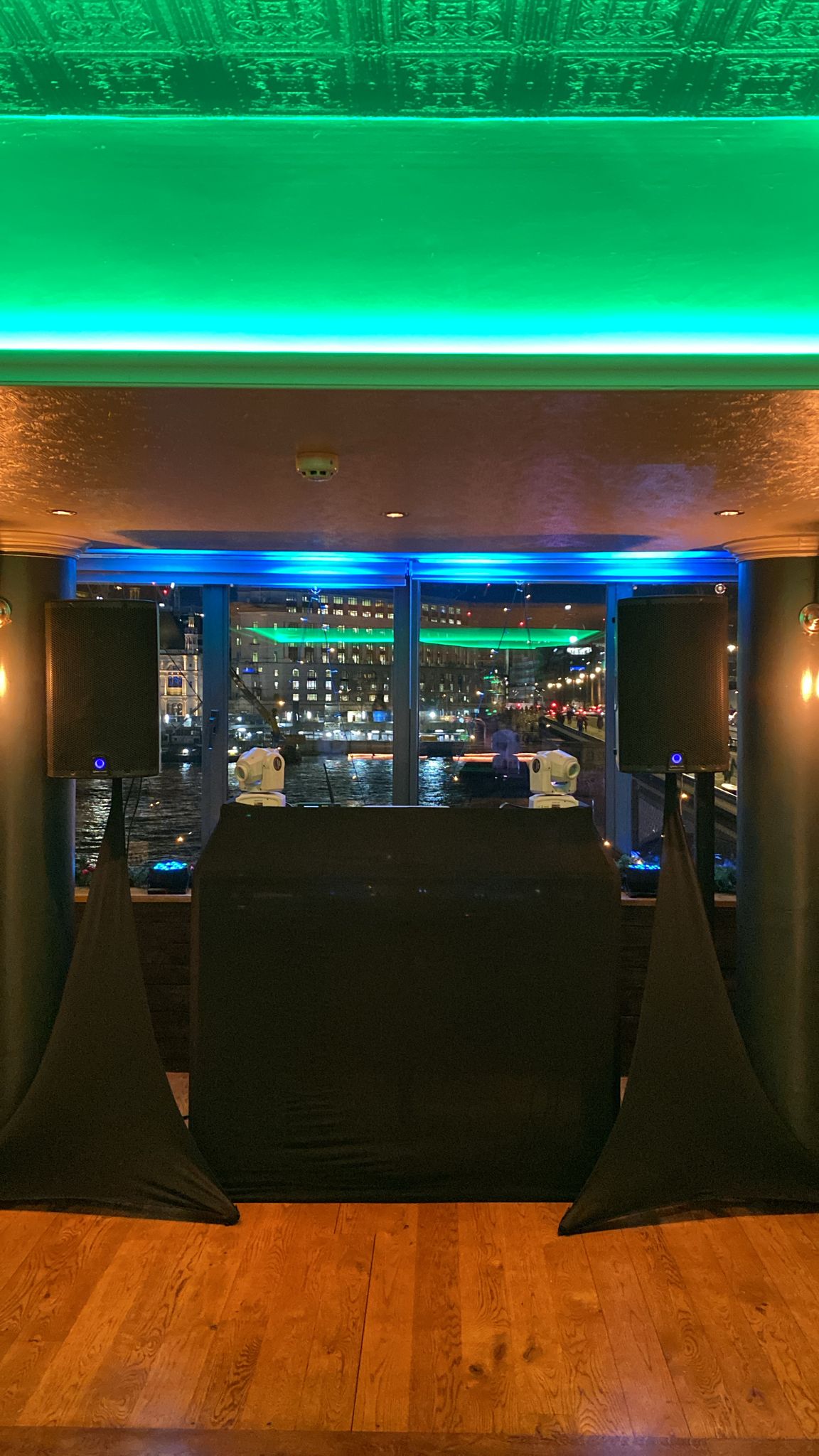
Mobile DJ Equipment Checklist: The Ultimate Guide for Beginners and Professional DJs
If you are planning to perform at weddings, birthdays, corporate events, school discos, private parties or community events, having a reliable Mobile DJ Equipment Checklist is one of the most important steps towards success.
Many beginner DJs focus entirely on music and forget that mobile DJing is as much about preparation and professionalism as it is about mixing tracks. One missing cable, a forgotten extension lead or a faulty microphone can quickly turn a great event into a stressful experience.
After nearly three decades working as a DJ and supporting DJs across various events, one thing becomes very clear. The best mobile DJs are not always the most technically gifted. They are often the most organised.
This comprehensive Mobile DJ Equipment Checklist will show you exactly what equipment you need, what you can leave until later, how much you should budget and how to avoid common mistakes.
Whether you are performing at your first wedding or building a full time mobile DJ business, this guide will help you arrive fully prepared and ready to impress your clients.
Quick Answer: What Equipment Does a Mobile DJ Need?
A basic Mobile DJ Equipment Checklist includes:
| Essential Equipment | Purpose |
|---|---|
| DJ Controller | Mix and control music |
| Laptop | Runs DJ software |
| DJ Software | Music playback and mixing |
| PA Speakers | Amplify sound |
| Speaker Stands | Improve sound coverage |
| Microphone | Announcements and speeches |
| Headphones | Cue and monitor tracks |
| Lighting Effects | Create atmosphere |
| Cables | Connect equipment |
| Extension Leads | Power supply |
| DJ Booth | Professional appearance |
| Backup Music Source | Emergency backup |
Professional mobile DJs often carry duplicate cables, backup microphones and spare music devices for additional reliability.
What Is Mobile DJ Equipment?
Mobile DJ equipment refers to all the portable gear a DJ transports to events.
Unlike club DJs who often use permanently installed equipment, mobile DJs must bring everything needed to perform successfully.
This means considering:
- Music playback
- Sound systems
- Lighting
- Power requirements
- Transportation
- Setup time
- Backup equipment
Every piece of equipment should be selected with reliability and portability in mind.
The Complete Mobile DJ Equipment Checklist
DJ Controller
The DJ controller acts as the heart of your setup.
Popular options include:
- Pioneer DDJ FLX4
- Pioneer DDJ FLX6 GT
- Pioneer DDJ REV5
- AlphaTheta DDJ GRV6
- Numark Mixtrack Platinum FX
- Denon DJ SC Live 4
For beginners, the FLX4 is an excellent starting point due to its affordability and ease of use.
Laptop
Most mobile DJs use a laptop running professional DJ software.
Minimum recommendations:
| Specification | Recommended |
| Processor | Intel i5 or Apple M Series |
| RAM | 16GB |
| Storage | 512GB SSD |
| USB Ports | Multiple |
| Battery | 6+ Hours |
Always keep your operating system updated and remove unnecessary software.
DJ Software
Popular DJ software includes:
- Rekordbox
- Serato DJ Pro
- VirtualDJ
- Engine DJ
- Traktor Pro
Rekordbox and Serato remain the most widely used platforms among beginner and professional DJs.
PA Speakers
Your audience hears your speakers before they notice your mixing skills.
Good quality speakers are therefore essential.
Popular choices include:
Entry Level
- Alto Professional TS Series
- Mackie Thump Series
Mid Range
- Yamaha DBR Series
- EV ZLX Series
Professional
- QSC K Series
- RCF ART Series
- Yamaha DXR Series
Active vs Passive Speakers
| Active Speakers | Passive Speakers |
| Built-in amplifier | Requires separate amplifier |
| Easy setup | More complex |
| Popular with mobile DJs | Less common |
| Fewer cables | More equipment |
Most mobile DJs choose active speakers because they are easier to transport and set up.
Speaker Stands
Never place speakers directly on the floor.
Speaker stands:
- Improve sound coverage
- Reduce bass muddiness
- Enhance professionalism
- Protect equipment
Always use sturdy stands with safety pins.
Subwoofers
A subwoofer adds deep bass frequencies.
Ideal for:
- Weddings
- Corporate events
- Birthday parties
- Dance music events
Without a subwoofer, dance music often lacks impact.
Popular options include:
- Yamaha DXS Series
- QSC KS Series
- RCF Sub Series
DJ Headphones
Quality headphones allow accurate cueing.
Recommended models:
- Pioneer HDJ-CUE1
- Pioneer HDJ-X5
- Sennheiser HD25
- Audio-Technica ATH-M50X
The Sennheiser HD25 remains a favourite among many professional DJs due to its durability and sound isolation.
Microphones
Many mobile DJs underestimate microphones.
However, they are essential for:
- Wedding announcements
- Introductions
- Competitions
- Corporate presentations
Types of Microphones
| Type | Best Use |
| Wired | Reliability |
| Wireless | Freedom of movement |
| Handheld | General announcements |
| Headset | Presenters |
Always carry a backup microphone.
Lighting Equipment
Lighting transforms a room.
Even a simple setup can create a professional atmosphere.
Essential Lighting
- Wash lights
- Derby effects
- Moving heads
- Uplighting
- Laser effects
For beginners, two LED effects and one wash light provide a solid starting point.
Lighting Controller
DMX controllers help synchronise lighting effects.
Benefits include:
- Professional appearance
- Consistent shows
- Better control
- Custom scenes
DJ Booth
A professional DJ booth improves presentation.
Options include:
Folding Booths
- Lightweight
- Portable
- Quick setup
Custom Booths
- Strong branding
- Professional appearance
- Greater visual impact
Many wedding DJs prefer white DJ booths for elegant events.
Essential Cables
One of the most overlooked parts of a Mobile DJ Equipment Checklist.
Carry:
- XLR cables
- RCA cables
- USB cables
- Ethernet cables
- Power cables
- IEC cables
- Audio adapters
Always bring spare cables.
Extension Leads
Never rely on venue power arrangements.
Carry:
- Extension reels
- Multi-socket adapters
- Surge protection
This simple preparation can prevent major problems.
Power Management
A power failure can ruin an event.
Useful additions include:
- UPS backup systems
- Surge protectors
- Power conditioners
These help protect expensive equipment.
Music Storage
Professional DJs maintain multiple music backups.
Recommended:
- Laptop library
- External SSD
- USB drive
- Cloud backup
Never rely on a single storage device.
Backup Equipment
Professional DJs always prepare for equipment failure.
Carry:
Backup Controller
A smaller controller can save an event.
Backup Laptop
If possible, carry a second laptop.
Backup Music Device
A tablet or smartphone with playlists can keep music playing during emergencies.
Mobile DJ Equipment Budget Guide
Beginner Setup
| Equipment | Approximate Cost |
| Controller | £250 |
| Laptop | £700 |
| Speakers | £500 |
| Lighting | £200 |
| Headphones | £80 |
| Microphone | £70 |
| Cables | £100 |
| Booth | £200 |
Estimated Total: £2,100
Intermediate Setup
Estimated budget:
£3,500 to £6,000
Professional Setup
Estimated budget:
£8,000 to £20,000+
Many successful DJs started with much less and upgraded gradually.
Mobile DJ Setup Checklist Before Leaving Home
Before every event:
✓ Laptop charged
✓ Controller packed
✓ Speakers packed
✓ Speaker stands packed
✓ Microphones packed
✓ Headphones packed
✓ Lighting packed
✓ Power cables packed
✓ Spare cables packed
✓ Music backups prepared
✓ Event playlist prepared
✓ Contact details saved
✓ Navigation checked
Mobile DJ Setup Checklist At The Venue
Upon arrival:
✓ Locate power outlets
✓ Confirm setup location
✓ Test all equipment
✓ Check microphone levels
✓ Check speaker positioning
✓ Verify lighting operation
✓ Review event schedule
✓ Speak with organiser
✓ Prepare backup music
Pros and Cons of Mobile DJing
Pros
- Flexible working hours
- Variety of events
- Good earning potential
- Creative freedom
- Opportunity to build a business
Cons
- Heavy equipment transport
- Long setup times
- Vehicle expenses
- Equipment maintenance
- Responsibility for technical issues
Common Mobile DJ Equipment Mistakes
Buying Cheap Speakers
Poor sound quality can damage your reputation.
Invest in quality speakers before upgrading lighting.
Forgetting Backup Cables
Cables fail more often than major equipment.
Carry duplicates.
Not Testing Equipment
Always test before leaving home.
Ignoring Insurance
Public liability insurance is highly recommended.
Taking Too Much Equipment
Many beginners overload their setup.
Start simple and add equipment as needed.
Expert Mobile DJ Tips
Label Every Cable
This speeds up setup and troubleshooting.
Use Cable Ties
A tidy setup looks professional.
Arrive Early
Aim for at least 90 minutes before the event.
Create Event Specific Playlists
Preparation reduces stress.
Keep Spare Batteries
Especially for wireless microphones.
Use Flight Cases
They protect your investment and make transportation easier.
Learn Basic Troubleshooting
Knowing how to diagnose sound problems can save an event.
What Equipment Should Wedding DJs Carry?
Wedding DJs often require additional equipment:
- Ceremony speaker system
- Wireless microphones
- Uplighting
- Backup speakers
- Additional lighting
- Presentation laptop
Wedding clients typically expect a higher level of professionalism and redundancy.
Mobile DJ Equipment Comparison Table
| Equipment Type | Beginner | Intermediate | Professional |
| Controller | FLX4 | FLX6 GT | REV5 |
| Speakers | Alto TS | EV ZLX | QSC K Series |
| Headphones | HDJ CUE1 | HDJ X5 | HD25 |
| Lighting | Basic LED | Moving Heads | Full DMX Rig |
| Booth | Folding Booth | Premium Booth | Custom Branded Booth |
Frequently Asked Questions
What equipment does a beginner mobile DJ need?
A beginner typically needs a controller, laptop, speakers, headphones, microphone, lighting and essential cables.
How much does it cost to start mobile DJing?
Most beginners spend between £1,500 and £3,000 depending on equipment quality.
Are active speakers better for mobile DJs?
Yes. Active speakers are easier to transport and require less equipment.
Do mobile DJs need subwoofers?
Not always, but they significantly improve dance music performance.
How many speakers do I need?
Two speakers are sufficient for many smaller events.
What is the best DJ software for beginners?
Rekordbox and Serato DJ Pro are excellent options.
Should I bring backup equipment?
Absolutely. Backup equipment is essential for professional reliability.
Do I need a DJ booth?
While not essential initially, a DJ booth improves presentation.
How many microphones should I carry?
At least two.
What is the most important mobile DJ purchase?
Quality speakers.
Should I buy lighting immediately?
Basic lighting is recommended, but sound quality should take priority.
Do I need insurance?
Most venues now require public liability insurance.
How early should I arrive?
At least 60 to 90 minutes before setup time.
How often should I replace cables?
Inspect them regularly and replace damaged cables immediately.
Can I start mobile DJing part time?
Yes. Many successful DJs begin as part time weekend performers.
Conclusion
A well planned Mobile DJ Equipment Checklist can be the difference between a stressful event and a successful performance.
Focus first on reliable core equipment. Build your setup gradually. Invest in quality speakers, organise your cables, prepare backups and always arrive prepared.
Remember, clients rarely remember the model of controller you used. They remember how professional you were, how good the music sounded and how smoothly the event ran.
The best mobile DJs are organised, dependable and prepared for every situation.
If you want to accelerate your progress, explore more beginner friendly DJ guides, equipment reviews and training resources at https://www.learnhowtobeadj.com/ and continue building your confidence behind the decks.
Want The Complete Roadmap To Become A DJ?
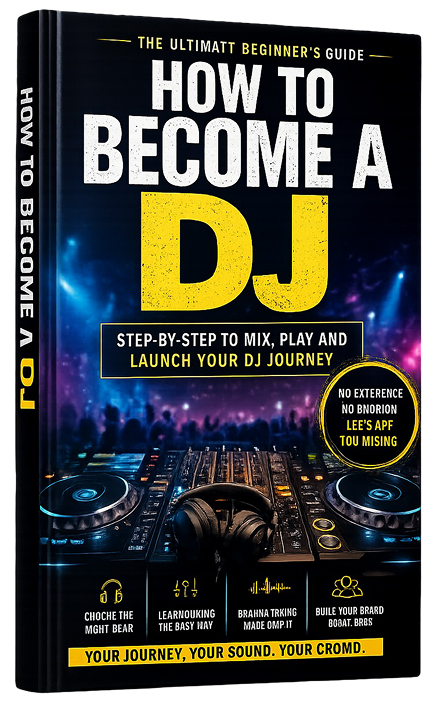
Step by Step to mix, play and launch your DJ journey with confidence.
- Beginner-friendly
- Easy to follow
- Packed with practical tips
 GET YOUR COPY NOW