
How to Create a DJ Website
-
 Jun 23, 2026
 -
 By
Learn How To Be a DJ
By
Learn How To Be a DJ -
 How To Be a DJ
 -
 10 min read

How to Create a DJ Website
In today’s digital world, learning how to create a DJ website is one of the smartest investments you can make in your DJ career.
Whether you are a beginner DJ playing house parties, a mobile DJ performing at weddings, or an experienced club DJ looking for more bookings, your website acts as your online headquarters.
Social media platforms come and go. Algorithms change constantly. Accounts can be suspended without warning.
Your website is different.
You own it.
You control it.
And most importantly, it works for you 24 hours a day, helping potential clients discover your services, listen to your mixes and contact you for bookings.
In this complete guide, I will walk you through exactly how to create a DJ website from scratch, even if you have zero technical experience.
By the end, you will know how to build a professional DJ website that helps you grow your audience, strengthen your brand and generate more DJ bookings.
Quick Answer
How do you create a DJ website?
To create a DJ website:
- Choose a domain name.
- Purchase website hosting.
- Install WordPress.
- Select a professional DJ theme.
- Create essential pages.
- Upload mixes, photos and videos.
- Add a booking enquiry form.
- Optimise your site for Google.
- Publish useful DJ content regularly.
- Promote your website through social media and email marketing.
A DJ website should showcase your music, personality, experience, services and contact information while making it easy for visitors to book you.
Why Every DJ Needs a Website
Many beginner DJs ask:
“Can’t I just use Instagram or TikTok?”
The simple answer is yes.
But you should not rely on them.
A professional DJ website gives you:
| Benefit | Why It Matters |
|---|---|
| Full ownership | No social media algorithm changes |
| Professional image | Builds trust instantly |
| More bookings | Easy enquiries from potential clients |
| Better SEO | Appear in Google searches |
| Portfolio showcase | Display mixes, videos and photos |
| Email collection | Build your audience directly |
| Affiliate opportunities | Earn extra income |
| Ebook sales | Sell DJ education products |
| Event promotion | Advertise upcoming gigs |
Many successful DJs generate bookings every month through their website alone.
What Should a DJ Website Include?
Before you start building, it helps to understand the essential components.
Core DJ Website Pages
Every DJ website should include:
Home Page
Your homepage is your digital first impression.
It should quickly answer:
- Who are you?
- What type of DJ are you?
- Where are you based?
- How can people book you?
About Page
People book people.
Tell your story.
Share:
- Your DJ journey
- Musical influences
- Experience
- Achievements
- Personality
DJ Mixes Page
Let visitors hear your skills.
You can embed:
- SoundCloud mixes
- Mixcloud mixes
- YouTube videos
Gallery Page
Include:
- Event photos
- Crowd shots
- DJ booth images
- Festival appearances
- Wedding setups
Services Page
Explain exactly what you offer.
Examples:
- Wedding DJ
- Mobile DJ
- Corporate DJ
- Club DJ
- Birthday parties
- Private events
Contact Page
Make contacting you effortless.
Include:
- Contact form
- Email address
- Phone number
- Social media links
Blog
A blog helps:
- Improve SEO
- Attract traffic
- Build authority
- Answer customer questions
This is one reason why educational websites such as https://www.learnhowtobeadj.com continue attracting new visitors.
Step 1: Choose a DJ Domain Name
Your domain name is your website address.
Examples:
- djjohnsmith.co.uk
- djsarah.com
- londonweddingdj.co.uk
- djmarkofficial.com
Good Domain Name Tips
Keep it:
- Short
- Memorable
- Easy to spell
- Professional
Avoid:
- Numbers
- Excessive hyphens
- Difficult words
Best Domain Extensions
| Extension | Best For |
|---|---|
| .com | Global audience |
| .co.uk | UK DJs |
| .net | Alternative option |
| .dj | DJ branding |
Step 2: Buy Website Hosting
Hosting stores your website online.
Think of hosting as the land your website sits on.
Popular hosting providers include:
- SiteGround
- Hostinger
- Bluehost
- Krystal Hosting
- Cloudways
For most beginner DJs, affordable shared hosting is perfectly adequate.
Step 3: Install WordPress
WordPress powers over 40% of websites worldwide.
There are several reasons why DJs choose WordPress:
Advantages
- Beginner friendly
- Highly customisable
- SEO friendly
- Thousands of themes
- Huge plugin ecosystem
Most hosting companies offer one-click WordPress installation.
The entire process usually takes less than ten minutes.
Step 4: Choose a Professional DJ Theme
A theme controls your website’s appearance.
What Makes a Good DJ Theme?
Look for:
- Mobile responsive design
- Fast loading speed
- Video support
- Portfolio functionality
- Booking forms
- SEO optimisation
Recommended Themes
| Theme | Best For |
|---|---|
| Astra | Beginners |
| GeneratePress | Speed |
| Kadence | Flexibility |
| OceanWP | Visual design |
| Divi | Drag and drop design |
Step 5: Design Your Homepage
Your homepage should immediately communicate your value.
Essential Homepage Sections
Hero Section
Include:
- Professional photo
- DJ tagline
- Call to action button
Example:
“Professional Wedding and Event DJ Available Across London”
Button:
“Book Me Today”
Social Proof
Display:
- Testimonials
- Reviews
- Awards
- Event statistics
Featured Mixes
Embed your latest DJ sets.
Booking Call To Action
Make enquiries simple.
Step 6: Add Your DJ Content
Content is what transforms a website from basic to powerful.
DJ Photos
Use high-quality images.
Include:
- Live performances
- Event setups
- Studio shots
- Crowd interactions
Professional Photography Matters
People often judge professionalism within seconds.
Investing in quality photography can significantly increase enquiries.
DJ Videos
Videos build trust quickly.
Consider uploading:
- Live performances
- Crowd reactions
- Tutorials
- Event highlights
YouTube embeds work exceptionally well.
DJ Mixes
Potential clients want to hear your style.
Platforms to embed include:
- SoundCloud
- Mixcloud
- YouTube
Create dedicated playlists for different audiences.
For example:
- Wedding mixes
- House music mixes
- Commercial party mixes
- Corporate event mixes
Step 7: Add a DJ Booking Form
One of the biggest mistakes DJs make is hiding their contact information.
Make booking simple.
Include Fields Such As
- Name
- Event date
- Venue
- Event type
- Budget
- Message
The easier the process, the more enquiries you will receive.
Step 8: Optimise Your Website for Google
A beautiful website is useless if nobody sees it.
This is where SEO becomes important.
Basic DJ SEO Strategy
Target keywords people search for.
Examples:
- Wedding DJ London
- Mobile DJ Surrey
- Corporate DJ Manchester
- House DJ Birmingham
Optimise Every Page
Include:
- Page titles
- Meta descriptions
- Header tags
- Internal links
- Image alt text
Create Helpful Blog Content
Google rewards useful content.
Examples:
How to Become a DJ
Best DJ Controllers for Beginners
How to Beatmatch
How to Get DJ Bookings
How to Build a DJ Brand
These articles can generate traffic for years.
Step 9: Make Your Website Mobile Friendly
More than half of website visitors use mobile devices.
Your website should:
- Load quickly
- Display correctly
- Have readable text
- Use large buttons
Always test:
- iPhone
- Android
- Tablet
Step 10: Build an Email List
Email marketing remains one of the most effective marketing channels.
Why DJs Should Build Email Lists
Benefits include:
- Promote gigs
- Share mixes
- Launch products
- Sell ebooks
- Announce events
Offer something valuable.
Examples:
- Free DJ guide
- Free playlist
- Free mix download
DJ Website Cost Breakdown
Typical DJ Website Costs
| Item | Estimated Cost |
|---|---|
| Domain name | £10 to £20 yearly |
| Hosting | £30 to £120 yearly |
| Premium theme | £40 to £100 |
| Professional logo | £50 to £300 |
| Photography | £100 to £500 |
| Email marketing | Free to £30 monthly |
Most beginner DJs can launch a professional website for under £200.
Free Website vs Professional Website
| Feature | Free Website | Professional Website |
|---|---|---|
| Branding | Limited | Full control |
| SEO | Restricted | Excellent |
| Domain | Generic | Custom |
| Monetisation | Limited | Unlimited |
| Professional image | Lower | Higher |
| Booking potential | Lower | Higher |
A professional website almost always delivers better long-term results.
Pros and Cons of Having a DJ Website
Pros
✓ Builds credibility
✓ Generates bookings
✓ Improves discoverability
✓ Showcases your work
✓ Creates passive marketing
✓ Supports affiliate income
✓ Enables product sales
✓ Strengthens branding
Cons
✗ Initial setup time
✗ Small ongoing costs
✗ Requires updates
✗ SEO takes time
For most DJs, the advantages significantly outweigh the disadvantages.
Common DJ Website Mistakes
Using Low Quality Photos
Poor images reduce trust instantly.
No Clear Contact Method
Visitors should never struggle to contact you.
Ignoring Mobile Users
Mobile traffic is now dominant.
Slow Website Speed
Fast websites rank better.
No Testimonials
Reviews help convert visitors into bookings.
Not Updating Content
Fresh content supports SEO growth.
Expert Tips for Creating a DJ Website
Focus on Results, Not Features
Clients care about successful events.
Talk about outcomes.
Use Real Testimonials
Authenticity builds trust.
Publish Content Regularly
One blog post per week can significantly improve visibility.
Include Videos
Videos outperform photos for engagement.
Collect Email Subscribers Early
Start building your audience from day one.
Track Analytics
Use:
- Google Analytics
- Google Search Console
Monitor:
- Traffic
- Popular pages
- Enquiries
Real World Example
Imagine two beginner wedding DJs.
DJ A only has Instagram.
DJ B has:
- Professional website
- Booking form
- Testimonials
- Blog
When a bride searches Google for a wedding DJ, DJ B is far more likely to appear and win the booking.
This happens every day.
A website gives you a major competitive advantage.
Frequently Asked Questions
How much does it cost to create a DJ website?
Most beginner DJs can create a professional website for between £100 and £300.
Can I create a DJ website without coding?
Yes. WordPress and modern website builders require no coding knowledge.
How long does it take to build a DJ website?
A basic website can be built in a single weekend.
What is the best platform for a DJ website?
WordPress is generally considered the best balance of flexibility, SEO and affordability.
Should I use Wix or WordPress?
WordPress offers greater long-term control and SEO benefits.
Can a DJ website generate bookings?
Absolutely. Many DJs receive regular enquiries through their websites.
What pages should every DJ website have?
Home, About, Services, Mixes, Gallery and Contact pages.
Should I start a DJ blog?
Yes. Blogging can dramatically improve SEO and attract potential clients.
Can I sell DJ products on my website?
Yes. You can sell ebooks, courses, merchandise and affiliate products.
How do DJs appear on Google?
Through SEO, local optimisation, blogging and website authority.
What should I put on my homepage?
Your photo, services, location, testimonials and booking information.
How often should I update my website?
Ideally every week with fresh content or portfolio updates.
Is social media enough for DJs?
No. Social media should complement your website, not replace it.
What is the biggest website mistake DJs make?
Not making it easy for visitors to contact and book them.
Should beginner DJs have websites?
Yes. A website helps establish professionalism from the very beginning.
Want The Complete Roadmap To Become A DJ?
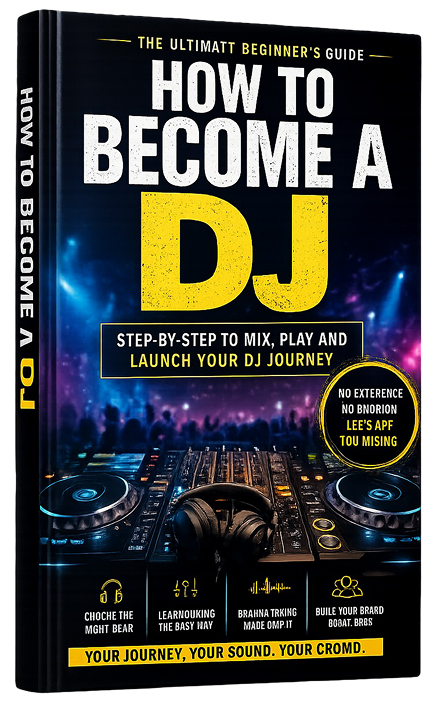
Step by Step to mix, play and launch your DJ journey with confidence.
- Beginner-friendly
- Easy to follow
- Packed with practical tips
 GET YOUR COPY NOW