
Best DJ Software for Beginners
-
 Jun 22, 2026
 -
 By
Learn How To Be a DJ
By
Learn How To Be a DJ -
 How To Be a DJ
 -
 8 min read
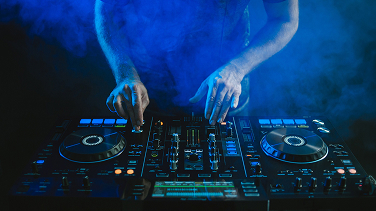
Best DJ Software for Beginners
Choosing your first DJ software can feel overwhelming.
With so many options available, it is easy to wonder which platform is best for learning, practising and eventually performing in front of an audience.
The good news is that modern DJ software is more powerful and beginner friendly than ever before.
Whether you want to DJ at home, livestream online, perform at weddings, play in bars or eventually work in clubs, selecting the right software is one of the most important decisions you will make.
In this guide, we will explore the best DJ software for beginners, compare the leading platforms, explain their strengths and weaknesses and help you choose the right solution for your goals and budget.
By the end, you will know exactly which DJ software suits your needs and how to start your DJ journey with confidence.
Quick Answer: What Is the Best DJ Software for Beginners?
For most beginners, Rekordbox is currently the best DJ software because it offers:
- A free version
- Professional features
- Excellent music organisation tools
- Club standard compatibility
- Easy progression to professional DJ equipment
However, the best choice depends on your goals:
| Goal | Recommended Software |
|---|---|
| Future Club DJ | Rekordbox |
| Mobile DJ | VirtualDJ |
| Scratch DJ | Serato DJ Lite |
| Budget DJ | Mixxx |
| All Round Beginner | Rekordbox |
| Wedding DJ | VirtualDJ |
| Open Format DJ | Serato DJ |
What Is DJ Software?
DJ software is a computer application that allows DJs to:
- Load music
- Mix songs together
- Create playlists
- Beatmatch tracks
- Add effects
- Record DJ sets
- Stream performances online
Think of DJ software as the modern equivalent of traditional turntables and CD players.
Instead of carrying boxes of vinyl records or CDs, DJs can now carry thousands of tracks on a laptop.
Why DJ Software Matters
Many beginners focus on buying DJ equipment first.
In reality, the software often has a bigger impact on your learning experience.
Good DJ software helps you:
- Learn faster
- Organise music effectively
- Understand song structure
- Build playlists
- Prepare for gigs
- Develop professional habits
The software becomes the foundation of your DJ workflow.
The Best DJ Software for Beginners Compared
1. Rekordbox
Best For Future Club DJs
Developed by Pioneer DJ, Rekordbox has become one of the most widely used DJ platforms worldwide.
Many clubs use Pioneer equipment, making Rekordbox preparation extremely valuable.
Advantages
- Free beginner version
- Industry standard ecosystem
- Excellent library management
- Club compatibility
- Professional effects
- Streaming integrations
Disadvantages
- Some advanced features require subscriptions
- Slight learning curve initially
My Experience
Having helped new DJs learn for many years, I often recommend Rekordbox first.
Students who eventually move into clubs usually find the transition smoother because they are already familiar with the Pioneer workflow.
2. Serato DJ Lite
Best For Learning the Basics
Serato has built an excellent reputation for reliability.
Many mobile DJs, scratch DJs and open format DJs use Serato professionally.
Advantages
- Clean interface
- Beginner friendly
- Stable performance
- Excellent scratching tools
- Large hardware support
Disadvantages
- Limited features in Lite version
- Some features require upgrades
Ideal For
- Beginner DJs
- Mobile DJs
- Wedding DJs
- Scratch DJs
3. VirtualDJ
Best For Mobile DJs
VirtualDJ has evolved dramatically over the years.
It now includes features that rival many professional platforms.
Advantages
- Extremely flexible
- Excellent karaoke support
- Video DJ features
- Huge hardware compatibility
- Powerful automation tools
Disadvantages
- Interface can feel busy
- So many features may overwhelm beginners
Ideal For
- Wedding DJs
- Mobile DJs
- Event DJs
- Karaoke DJs
4. Mixxx
Best Free DJ Software
Mixxx is completely free and open source.
It provides an excellent starting point for DJs on a tight budget.
Advantages
- Completely free
- No subscriptions
- Community driven
- Good feature set
Disadvantages
- Smaller support community
- Less common professionally
Ideal For
- Students
- Hobby DJs
- Budget conscious beginners
5. Algoriddim djay
Best For Apple Users
djay has become one of the most innovative DJ applications available.
It works brilliantly across Apple devices.
Advantages
- Excellent user experience
- AI powered features
- Great streaming integration
- Beginner friendly
Disadvantages
- Best experience within Apple ecosystem
Ideal For
- iPad DJs
- Apple users
- Casual beginners
DJ Software Comparison Table
| Feature | Rekordbox | Serato | VirtualDJ | Mixxx | djay |
|---|---|---|---|---|---|
| Free Version | Yes | Yes | Limited | Yes | Yes |
| Club Standard | Excellent | Good | Moderate | Low | Moderate |
| Beginner Friendly | Excellent | Excellent | Good | Good | Excellent |
| Music Library Tools | Excellent | Very Good | Good | Good | Good |
| Video DJ Features | Limited | Limited | Excellent | Basic | Basic |
| Streaming Support | Yes | Yes | Yes | Limited | Excellent |
| Hardware Compatibility | High | High | Extremely High | Moderate | High |
Which DJ Software Do Professional DJs Use?
Many professional DJs use:
- Rekordbox
- Serato DJ Pro
- VirtualDJ
- Traktor Pro
However, software alone does not make someone a great DJ.
The best DJs understand:
- Song selection
- Crowd reading
- Timing
- Music knowledge
- Performance skills
Software simply provides the tools.
How to Choose the Best DJ Software for Beginners
Step 1: Define Your Goal
Ask yourself:
Do you want to become:
- A club DJ?
- A wedding DJ?
- A mobile DJ?
- A livestream DJ?
- A hobby DJ?
Your answer influences your software choice.
Step 2: Check Hardware Compatibility
Not every controller works with every software package.
Before buying a controller, verify:
- Supported software
- Included licences
- Upgrade costs
Step 3: Consider Your Budget
Many beginners overspend.
Start simple.
Free versions are often sufficient for learning:
- Beatmatching
- Cue points
- Playlist building
- Basic mixing
Step 4: Think Long Term
If your goal is club DJing, learning Rekordbox today can save time later.
Best DJ Controllers for Each Software
| Software | Recommended Beginner Controller |
|---|---|
| Rekordbox | Pioneer DDJ-FLX4 |
| Serato | Hercules Inpulse 500 |
| VirtualDJ | Numark Mixtrack Platinum FX |
| Mixxx | Hercules Inpulse 300 |
| djay | Reloop Buddy |
These combinations provide excellent value for new DJs.
Common Beginner DJ Software Mistakes
Buying Software Before Understanding Your Goals
Always define your destination first.
Ignoring Music Organisation
Great DJs spend significant time organising music.
Poor organisation leads to stressful performances.
Constantly Switching Software
Many beginners jump between platforms.
Choose one.
Learn it properly.
Master the fundamentals.
Relying Too Much on Sync
Sync is useful.
However, learning manual beatmatching develops stronger DJ skills.
Downloading Poor Quality Music
Always use:
- WAV
- AIFF
- 320kbps MP3
Avoid low quality audio files.
How to Learn DJ Software Faster
Build Small Practice Sessions
Aim for:
- 20 to 30 minutes daily
- Consistent repetition
- Focused learning
Consistency beats marathon sessions.
Learn Keyboard Shortcuts
Shortcuts dramatically improve workflow.
Professional DJs use them constantly.
Record Every Mix
Recording helps identify:
- Timing mistakes
- Volume issues
- Transition problems
Create Playlists by Energy
Group tracks into:
- Warm Up
- Peak Time
- Sing Along
- Closing Tracks
This mimics real world DJing.
Expert DJ Tips
After nearly three decades around DJ culture, one lesson remains true:
The best software is the software you actually learn properly.
Many beginners waste time chasing the “perfect” setup.
Professional DJs succeed because they know their tools inside out.
Focus on:
- Music selection
- Mixing fundamentals
- Practice
- Audience engagement
The software becomes secondary once your skills improve.
Pros and Cons of DJ Software
Pros
- Affordable entry point
- Massive music libraries
- Easy recording
- Streaming integration
- Portable setup
- Professional features
Cons
- Learning curve
- Subscription costs
- Computer dependency
- Hardware compatibility considerations
Frequently Asked Questions
What is the best DJ software for beginners?
For most beginners, Rekordbox offers the best combination of free features, professional workflow and future progression opportunities.
Is Rekordbox free?
Yes. Rekordbox offers a free version with many features suitable for beginners.
Is Serato better than Rekordbox?
Neither is objectively better. Rekordbox is stronger for club preparation, while Serato is popular among scratch and mobile DJs.
Can I learn DJing without a controller?
Yes. Most DJ software allows keyboard and mouse control for learning basic concepts.
What software do club DJs use?
Many club DJs use Rekordbox because it integrates seamlessly with Pioneer DJ equipment.
Is VirtualDJ good for beginners?
Yes. It is highly flexible and suitable for mobile and wedding DJs.
What is the easiest DJ software to learn?
Serato DJ Lite and djay are often considered the easiest platforms for complete beginners.
Do DJs still buy music?
Yes. Many professional DJs purchase music from reputable download stores while also using streaming services.
Can DJ software mix songs automatically?
Yes. However, learning manual mixing produces better long term results.
Is free DJ software good enough?
Absolutely. Many beginners can learn all the fundamentals using free DJ software.
Which DJ software works best with streaming services?
Rekordbox, Serato, VirtualDJ and djay all offer streaming integrations.
Should beginners use sync?
Yes, but also learn manual beatmatching for stronger foundational skills.
Final Verdict: Best DJ Software for Beginners
If you are searching for the Best DJ Software for Beginners, Rekordbox remains the strongest overall recommendation for 2026.
It offers a professional workflow, excellent free features and a direct pathway into the club DJ world.
That said:
- Choose Serato for scratching.
- Choose VirtualDJ for mobile and wedding work.
- Choose Mixxx if budget is your priority.
- Choose djay if you use Apple devices.
Remember, software does not make a great DJ.
Practice does.
The sooner you start mixing, recording and experimenting, the faster your skills will improve.
If you are serious about learning DJing, explore the tutorials, guides and resources available at LearnHowToBeADJ.com and continue building your confidence behind the decks.
Want The Complete Roadmap To Become A DJ?
Step by Step to mix, play and launch your DJ journey with confidence.
- Beginner-friendly
- Easy to follow
- Packed with practical tips
 GET YOUR COPY NOW